The bkk999 App —
Play Everything from Your Pocket
Download the free bkk999 APK for Android and get instant access to slots, live casino, cricket betting and crash games. No Play Store needed. Runs on Android 7.0 and above.
Free · v3.4.14 · 52 MB · Android 7.0+Version Details & System Requirements
Before you download, check that your phone meets the minimum requirements. The bkk999 app is lightweight and runs well on most mid-range Android handsets sold in Bangladesh.
| App Version | 3.4.14 |
|---|---|
| File Name | bkk999.apk |
| File Size | 52 MB |
| Minimum Android | Android 7.0 (Nougat) or higher |
| iOS / iPhone | No dedicated iOS app — use Safari "Add to Home Screen" (see below) |
| Last Updated | 3 November 2026 |
| Cost | Free |
| Languages | English · Bangla |
| Internet Required | Yes — mobile data or Wi-Fi |
| Available on Play Store | No — direct APK from bkk999.ws only |
Storage tip: free at least 150 MB on your device before installing to allow space for game assets.
- SSL Encrypted
- 18+ Only
- 24/7 Support
- bKash & Nagad
- Free to Download
- Low Data Mode
Install the bkk999 App on Android — 5 Steps
The whole process takes under three minutes on a good mobile connection. Follow each step in order and you will not hit any errors.
-
1
Allow Unknown Sources
Open your phone's Settings → Security (or Privacy on some phones). Toggle on "Install unknown apps" for your browser. This tells Android it is safe to install APK files from outside the Play Store. You only need to do this once.
-
2
Open bkk999.ws in Your Browser
In Chrome or any other Android browser, go to bkk999.ws/bkk999-app/. Tap the red Download APK button on this page. The file bkk999.apk (52 MB) will start downloading to your phone's Downloads folder.
-
3
Open the Downloaded File
When the download finishes, your browser will show a notification. Tap "Open" or go to your Downloads folder and tap bkk999.apk. Android will display an install confirmation screen showing the app name and permissions.
-
4
Tap "Install" and Wait
Tap the Install button on the Android install screen. Installation takes about 10–20 seconds. Do not close the screen or press the Back button while it loads. Android will confirm with an "App installed" message when it's done.
-
5
Log In or Create Your Account
Tap Open to launch the bkk999 app. If you already have an account, go to bkk999 Login. New players: tap Register inside the app or visit bkk999 Register. Your account works across the app and browser with no extra setup.
Download the bkk999 APK — It's Free
Direct download from bkk999.ws. No Play Store. No subscription. Just install and play.
52 MB · v3.4.14 · Free
Android 7.0+ required
Updated 3 Nov 2026
SSL-verified download
App vs Browser — Which Is Better for You?
The bkk999 app and the mobile browser version share the same games and account. But the app has a few practical advantages worth knowing before you choose.
| Feature | bkk999 App | Mobile Browser |
|---|---|---|
| Home Screen Shortcut | App icon on your home screen | Requires manual "Add to Home Screen" |
| Push Notifications | Yes — bonus alerts & score updates | Not available |
| Login Speed | Remembers session automatically | Depends on browser cookie settings |
| Game Loading | Faster — cached assets | Slightly slower on first load |
| bKash / Nagad Deposit | Yes — ৳500 minimum | Yes — same minimum |
| Withdrawal | Yes — ৳400 minimum, ~8 min | Yes — same speed |
| Full Game Library | All games available | All games available |
| Auto-update | Manual — download new APK when prompted | Always latest version |
| Data Usage | Slightly lower — cached UI | Reloads UI each session |
| Device Storage Needed | ~52 MB APK + game cache | No local storage needed |
Both the app and browser use the same account. You can switch freely — your balance, bonuses and history stay in sync.
What You Can Do Inside the bkk999 App
From slots to live cricket odds, the app covers every product on the site. Here are the six main areas you will use day to day.
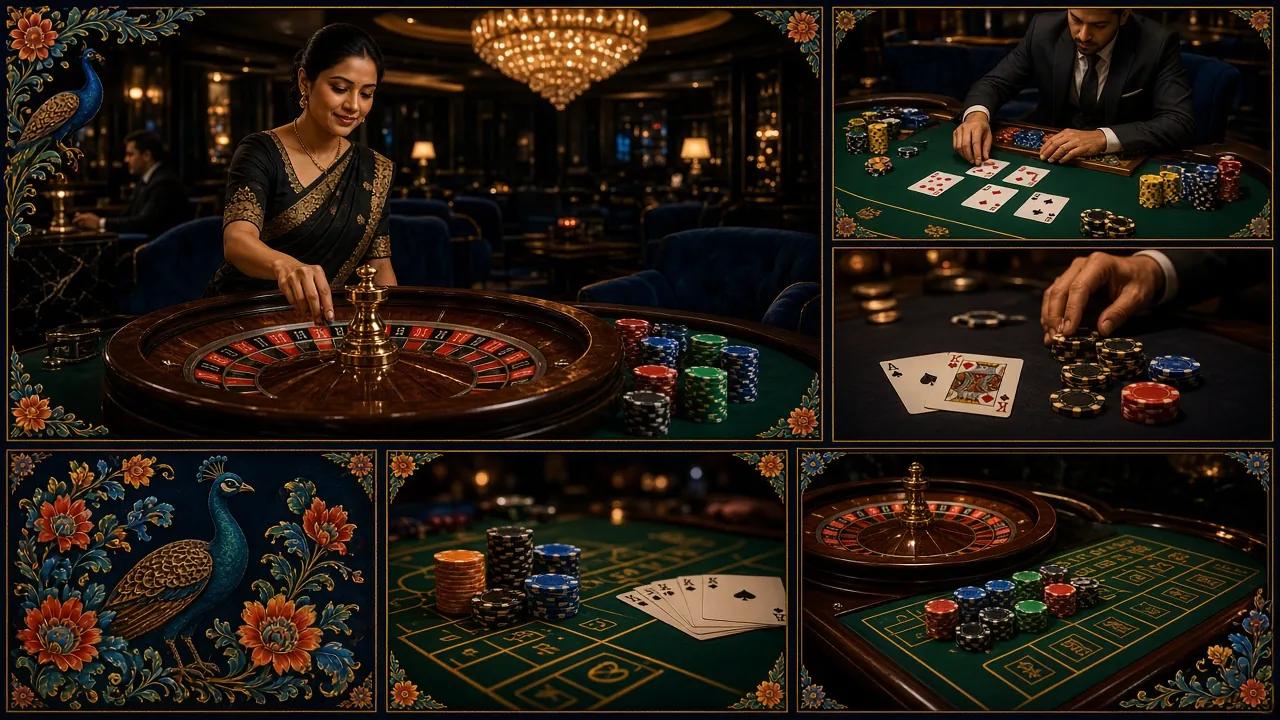
Slots & RNG Games
Over 5,600 titles from Pragmatic Play, Red Tiger, CQ9 and more load directly in the app. Bet from ৳1 per spin. Games like Ganesh Fortune (RTP 95.5%) and Monster Dice (RTP 97.2%) work smoothly on mid-range handsets. Filters let you sort by provider, RTP or new arrivals.
Live Casino with Real Dealers
Stream HD live tables — Blackjack, Roulette, Baccarat and game shows — powered by Evolution and Playtech. European Roulette Pro carries a 97.1% RTP. The app's optimised video codec keeps streams smooth even on a 4G connection with moderate signal strength.
Cricket & Sports Betting
Place bets on BPL, IPL, T20 and ODI matches with live in-play odds. The app's scorecard view sits beside the bet slip so you never lose context. Football leagues, kabaddi and tennis are also covered. Cash Out is available on selected markets — tap the green banner in your open bets.
Crash & Instant Games
Fast-round crash games sit in their own tab. Set an auto cash-out multiplier or tap manually. Rounds settle in seconds, keeping the experience punchy. Minimum bet is ৳1 on most crash titles. The app layout fits the rising multiplier graph on small screens without cropping.
Fishing Games
3 Gods Fishing (Red Tiger) and Treasure Boat Fishing (Pragmatic Play) are fan favourites. Touch controls on the app feel more natural than a mouse — aim and shoot with your thumb. Both titles allow bets up to ৳20,000–৳50,000, making them popular with higher-stake players too.
bKash, Nagad & Bank Deposits
Top up your bkk999 account via bKash, Nagad, Rocket, Upay or Bank Transfer without leaving the app. Minimum deposit is ৳500, credited in about 4 minutes. Withdrawals (minimum ৳400) process in roughly 8 minutes on average. Daily withdrawal limit for Starter members is ৳25,000.
Popular Games Available in the App


Live Tables
Browse all 5,600+ titles in the bkk999 Casino lobby — the same library available inside the app.
Permissions & Security — What the App Asks For
The bkk999 app requests only the permissions it needs to function. Here is a plain-English breakdown of what it accesses and why.
Internet Access
Required to load games, process deposits and withdrawals, and connect to live dealer streams. The app does not work offline. All traffic between your phone and bkk999 servers is encrypted with SSL — the same standard used by banks. Your session token is stored locally and never shared with third parties.
Push Notifications (Optional)
If you allow notifications, the app can alert you to bonus credits, withdrawal confirmations and live match kick-off times. This permission is entirely optional — you can deny it at install time and still use every feature. To enable later, go to your phone's Settings → App Notifications → bkk999.
Storage Read / Write
The app caches game thumbnails and UI assets locally so pages load faster on repeat visits. It writes only to its own sandboxed folder — it cannot read your photos, messages or other apps' data. Total cache size stays under 80 MB. You can clear it anytime from Settings → Apps → bkk999 → Clear Cache.
No Camera, Mic or Contacts
The bkk999 app does not request access to your camera, microphone, contacts or location. KYC document upload (required before your first withdrawal) uses your phone's standard file picker — the app itself never opens your camera. If you see a version asking for those permissions, do not install it; download only from bkk999.ws.
iPhone & iOS — Add bkk999 to Your Home Screen
There is no dedicated iOS app. iPhone users get a near-identical experience through Safari's "Add to Home Screen" feature. It places a bkk999 icon on your home screen and opens the site in a full-screen view without browser chrome.
-
1
Open Safari on your iPhone
Go to bkk999.ws in Safari. Other browsers (Chrome on iOS, Firefox) do not support Add to Home Screen fully — use Safari for the best result.
-
2
Tap the Share Button
Tap the Share icon (box with arrow pointing up) at the bottom of the Safari screen. Scroll down in the share sheet until you see "Add to Home Screen".
-
3
Name It and Tap Add
You can rename it to bkk999 or leave the default. Tap Add in the top-right corner. The bkk999 icon appears on your home screen immediately.
-
4
Log In and Play
Tap the icon to open bkk999 in full-screen mode. Log in to your account or register if you are new. All games, deposits and withdrawals work the same as on Android.
- Works on iPhone running iOS 14 or later.
- All games load — slots, live casino, sports and crash.
- Deposits and withdrawals via bKash and Nagad work normally.
- Push notifications are not available on iOS through the web shortcut.
- Use Safari — not Chrome or Firefox — for the Add to Home Screen option.
No APK on iPhone
Apple's iOS does not allow APK files. The Android APK download link will not work on iPhone. Use the Safari shortcut method above — it gives you a home screen icon and full-screen play without needing an App Store download.
Common Install Problems — Quick Fixes
Most install errors come down to one of five causes. Find your error below and follow the fix — no need to contact support for these.
| Problem | Most Likely Cause | How to Fix It |
|---|---|---|
| "Install blocked" message | Android's "Unknown sources" setting is off for your browser or file manager. | Go to Settings → Security → Install Unknown Apps. Find your browser (e.g. Chrome) in the list and toggle it on. Then tap the APK file again. The block message will not reappear once this permission is granted. |
| Download stops at 0% or stalls midway | Weak mobile data signal or the connection dropped during download. | Switch to Wi-Fi if available. If only mobile data is available, move to an area with stronger signal (look for at least 3G or H+). Delete the incomplete file from Downloads, then tap the Download APK button again from scratch. |
| "App not installed" after tapping Install | An older version of the bkk999 app is already installed, or storage is too full. | Uninstall any existing bkk999 app first (Settings → Apps → bkk999 → Uninstall). Free at least 150 MB of phone storage. Then re-tap the APK file to install the fresh copy. Your account data is saved on the server — uninstalling does not affect your balance. |
| App crashes immediately on launch | Android version is below 7.0, or the APK file is corrupted from an incomplete download. | Check your Android version at Settings → About Phone → Software Information. If it shows Android 6 or lower, the app will not run on your device — use the browser version at bkk999.ws instead. If Android 7.0+, delete the APK and re-download it completely. |
| Games don't load inside the app | No internet connection, or the app's internal browser needs a cache clear. | Check you have an active mobile data or Wi-Fi connection. If the signal is fine, go to Settings → Apps → bkk999 → Storage → Clear Cache. Reopen the app. If specific games still fail, try the same title in the browser version at bkk999.ws to confirm it's an app issue and not a game server issue. |
Still stuck? Contact bkk999's 24/7 live chat or email [email protected]. Have your Android version and phone model ready to speed things up.
Get the bkk999 App on Your Phone
-
Instant Load, Low Data
The app is only 52 MB and is tuned for Bangladesh mobile networks. Pages open fast even on a 4G connection with moderate signal.
-
All Games in One Place
Slots, live casino, cricket betting, crash games and fishing — everything available on the full site is inside the app, no browser tabs needed.
-
Deposit via bKash & Nagad
Top up your account with bKash, Nagad, Rocket or Upay directly inside the app. Deposits clear in about 4 minutes.
-
Push Alerts for Bonuses
Opt in to push notifications and get alerted when a reload bonus or cashback offer goes live — so you never miss out.
Direct APK from bkk999.ws · SSL encrypted · Free to download
Scan to download
bkk999 App — Frequently Asked Questions
Answers to the questions we get most often about the bkk999 APK, updates, security and account access.
Is the bkk999 APK safe to download?
Yes, when you download directly from bkk999.ws/bkk999-app/. The APK file is scanned and verified before each release. The download link uses HTTPS (SSL encryption), so the file cannot be intercepted or altered in transit. Do not install APK files for bkk999 from third-party sites, Telegram groups or file-sharing links — those are not from us and may contain malware. The genuine bkk999 app never requests camera, microphone or contacts access.
Why isn't the bkk999 app on Google Play or the App Store?
Google Play and Apple's App Store restrict real-money gambling apps in many markets, including Bangladesh. This is a platform policy, not a reflection of the app's quality or legality. Thousands of players across Bangladesh download the bkk999 APK directly from this page every month without any issues. The direct APK route also means we can push updates faster without waiting for store review cycles.
How do I update the bkk999 app to a newer version?
When a new version is available, the app displays an in-app notification with an "Update Now" button. Tapping it brings you to this page, where you download the latest APK. Run the new APK on top of the old installation — Android will upgrade it automatically. You do not need to uninstall first unless the app specifically tells you to. Your account, balance and bet history are stored on the server and are not affected by the update.
Can I use the same bkk999 account on the app and the browser?
Yes. Your bkk999 account is tied to your username, not your device. You can log in on the Android app, the iOS Safari shortcut and the desktop browser simultaneously. Balance, bonus credits, open bets and transaction history all sync in real time. If you registered through the browser, those same credentials work in the app — just tap Log In and enter your details. Visit bkk999 Login if you need to reset your password.
Does the bkk999 app work with bKash and Nagad?
Yes. The Cashier section inside the app supports bKash, Nagad, Rocket, Upay and Bank Transfer. The minimum deposit is ৳500 and funds typically arrive in about 4 minutes. Withdrawals (minimum ৳400) take around 8 minutes on average. Daily withdrawal limit for Starter-tier members is ৳25,000; this increases as you move up VIP tiers. The process is the same as on the website — tap Deposit or Withdraw in the app menu.
How much mobile data does the app use?
Slots and RNG games use roughly 3–8 MB per session once game assets are cached. Live casino streams are heavier — expect 20–40 MB per 30 minutes at standard quality. The app offers a "Data Saver" mode in Settings that reduces video bitrate for live tables. On a typical Grameenphone or Robi prepaid plan, an hour of mixed play (slots + one live game) uses around 60–80 MB total. Wi-Fi is recommended for live dealer sessions.
What should I do if I forget my bkk999 app login password?
Tap "Forgot Password?" on the app's login screen. Enter the email address or phone number linked to your account and bkk999 will send a reset link. Follow the link, set a new password and log in. If you no longer have access to that email or number, contact [email protected] with your registered details and the support team will verify your identity and help you regain access. KYC-verified accounts recover faster because identity is already confirmed.